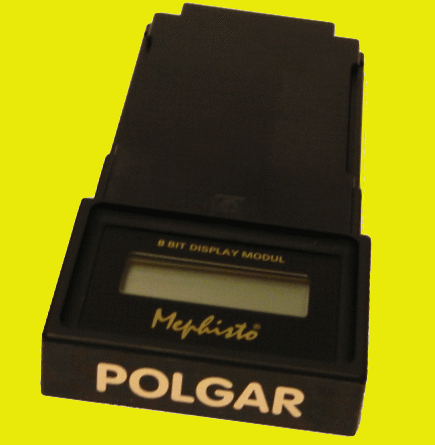
Dear Chess Friend!
Congratulations on the purchase of your MEPHISTO Polgar chess- computer!
We would like to welcome you to the growing club of owners of MEPHISTO chess-computers and hope that you will have many hours of entertainment with your new partner. Your MEPHISTO is a high-quality product, manufactured in Germany. It is simple to use and yet offers a large number of features, which make your MEPHISTO an ideal tournament and training partner for everyone interested in chess.
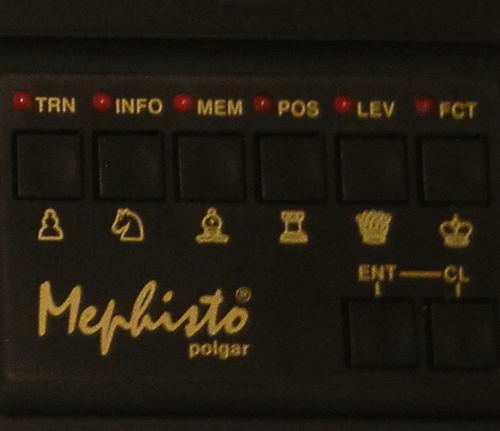
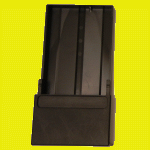
Picture shows Mephisto Polgar game control keys. There are 8 buttons used level set up and game options.
GAME OPTIONS
ELO Tournament Level
With this level you can set the approximate strength that you want Polgar to play against you with at the tournament level of 40 moves in hours. As in a game with a human opponent, Polgar will not show you its intended moves, its evaluation of the position etc.
Press the LEV key six times.
If you want to play against Polgar set at 2000 ELO points then press CL to confirm and you can start.
Should you want to change the setting, press ENT to announce an alteration (the first digit starts blinking), then use the TRN, INFO, MEM and POS keys (each corresponds to a digit in the LCD) to alter the setting. The possible settings in the LCD range from 0000 to 9999, however Polgar is programmed to accept an approximate maximum of 2000 ELO (value setting over 2000 are accepted as 2000). Settings under ELO 1200 cause Polgar to play approximately at 1200 ELO.
Press CL to stop the flashing and check your setting, if good, press CL otherwise press ENT to go back and reset. The chess clock is the same as for the tournament level i.e. is shown in the countdown mode.
ELO Active Chess (speed chess) level
This is the same as the previous section except that the computer now plays at the active (action, rapid or quick) chess level timing of 30 minutes for the whole game. As before, it is not possible to obtain the position evaluation, intended moves etc.
To set this level, press the LEV key seven times.
If you are happy with a strength of ELO 2000 for the game then press CL. If you want to change the level then do this as described in the previous section. First press ENT. Then use TRN, INFO, MEM and POS keys to alther the setting. Press CL to finish to finish the setting, check the setting (ENT allows you to go back and correct) and CL again to leave the Level mode.
The chess clock shown is set to the countdown mode as previously described.
ELO Calculation
- + means game won by the first player.
- = means game drawn.
- - means game lost by the first player.
It is exciting to be able to monitor your progress when training. As your Polgar has the official formula from the international Chess Federation (FIDE) stored in its memory. It can rate your last game against the computer in ELO (maximum 2400 ELO) and show this to you.
To find out your new ELO rating after a game first call up the special function by pressing the FCT key seven times. Next you have to press ENT to tell Polgar that you want to enter your last ELO rating (if this is the first time, then you can start with a rating of e. g. 1500). Then use the TRN, INFO, MEM and POS keys to alter the digits in the display for your ELO rating. Settings between 0000 and 9999 can be written in the display, but do not forget the maximum ELO is 2400.
Having typed your rating, press CL and continue by typing in the rating of your opponent in the same way as before - maximum EO 2400 and finish by pressing CL again.
The first digit on the display is flashing to show that an alteration can be made. Use TRN, INFO, MEM and POS keys to alter the digits in the display for your ELO rating. Settings between 0000 and 9999 can be written in the display, but don’t forget the maximum of 2400 ELO.
Having entered the ELO rating of your opponent, press CL.
The character for the result is now flashing, asking for the result of the game as follows:
Having entered your result press CL and the display immediately jumps to show you “ELO (NEW):” and the your new rating. Using CL you can leave the mode.
Your Mephisto Polgar is the fist commercial chess computer which has this feature!
The above are various excerpts taken from the Mephisto Polgar user manual.
These are just a few of the many interesting new features incorporated into the program. As you start a new opening the LCD display will also show you the name of the opening that you are playing. You have an infinite amount chess levels that you can set up and play. All in all this was one of the most interesting programs ever written for an 8 bit chess computer.
The Mephisto Polgar chess program was written by Ed Schroeder and is one of the strongest 8 Bit chess programs available playing at an approximate 2200 ELO USCF.

Mephisto Polgar chess game module playing inside a Mephisto Muenchen Magnet-Sensory Board.
|
Board Name |
Board Type |
Compatible |
|
Mephisto Bavaria |
Hardwood Tournament Size |
No |
|
Exclusive |
Hardwood Table Top |
Yes |
|
Mirage Modular Board |
Plastic Table Top |
No |
|
Mobil with built-in Display |
Plastic Travel |
No |
|
Mobil with no Display |
Plastic Travel |
No |
|
Mephisto Modular Board |
Plastic Table Top |
Yes |
|
Mephisto Muenchen |
Hardwood Tournament Size |
Yes |
MEPHISTO MM V MODULAR BOARD COMPATIBILITY CHART:

Technical Specification
Mephisto Polgar (1989) Chess Game Module
8 Bit Display
Show Module
User Manual
Spacious Mind
Schachcomputer.Info
Active 2017
Tourn. 2015
1975
1990
T1
T2
T3
T4
T5
Final
-
-
-
-
-
-
MANUFACTURER
PROGRAMMER
Hegener + Glaser
Ed Schroeder
2100 German
1989
$395.00
1970
Year:
MFR ELO:
Original Price:
Wiki ELO:
Model #:
-
My Serial #:
0570031
Processor OEM
MOS Tech.
Processor:
65C02
Speed:
Type:
8 Bit
4.9512 MHz
ROM:
64 KB
RAM:
8 KB
Battery Type:
Not Applicable
Power Adapter:
Board Powered
Display:
Needs 8 Bit Disp.
Board Type:
Needs ext. Board
Overall Size:
Not Applicable
3.3/4x7.5/8x3/4
Options Select:
Button Select
Play Levels:
Infinite Amount
Opening Book:
500 Variations
Take Back:
All Moves
Position Setup:
Available
Position Verify:
Available
Move Analysis:
Display Info:
Available
4 ply main var.
Solve Mate:
Mate in 8
Save Game:
Available
Ponder:
Available
Search Depth:
30 ply max.
Provide Hint:
Available
Teach Mode:
Not Available
Change Sides:
Available
Active Level:
TM Level:
40/2 Hours
Infinite Level:
INFIN
30 Seconds
Hardware Specification
Game Features
Matchplay & Test ELO Ratings
Computer Game Rating
Rating Test
Other Computer Chess Ratings
USCF
USCF
Spacious Mind
Human Rating
USCF
CCR 1994
CCNS 1994
Ply 1994
FIDE
USCF
2159
2034
2153
2001
2051
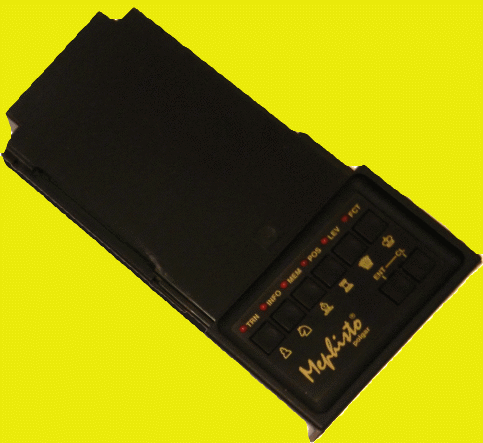
Top View of Mephisto Polgar Module inside Mephisto Muenchen Modular Chess Board

Expert Level Electronic Chess Module!
Board Size:
8 Key Game Module - 8 Bit 65C02 Processor
8 Bit Display Module